By trade · Handyman
Mour for handyman.
Multi-trade service work where every visit is different. Keep each job's prep and tools in a note, link the services that go together, capture the extras customers add on site, and draft the invoice from everything you actually did.
Built for the work
What handyman operators run into — and how Mour handles it.
Every service needs different prep — and forgetting one piece wrecks the day.
The snag: You bid the screen-door repair plus the leaky faucet. You bring the door kit, you forget the basin wrench — now it's a second visit and a wasted afternoon.
In Mour: Keep a note on each job — or on the client — with the tools and prep that visit needs, so it's in front of you before you load the truck. Notes are on every plan and show right on the job screen.
Some jobs always travel together.
The snag: A cartridge swap means a shutoff-valve check first. A repaint means prep and caulk before the topcoat. Booked separately, it's easy to forget the one that has to come first.
In Mour: On Professional, link services with service requisites: mark one service as a prerequisite (do first) or a follow-up (do after) of another, required or recommended. Add the main service to a job and Mour flags the linked services it depends on, so the dependency is never a surprise.
"While you're here, can you also…" — captured, not lost.
The snag: The quote was for the door. On arrival the customer adds the leaky faucet and asks you to tighten the gate latch. By the time you're home, half of it never makes the invoice.
In Mour: Add each extra service to the job right on site — and Mour flags any service it's linked to. On Professional, completing the job auto-drafts an invoice that picks up the original work and every on-site add-on as its own line item.
A day in Mour
Your day, start to finish.
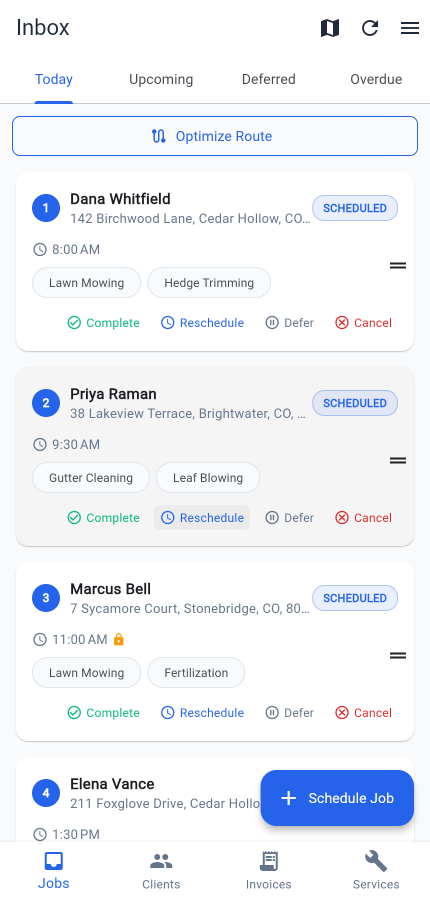
- 1Tuesday: your Today list shows three jobs in order — door at Karen's, faucet at Diaz's, deck board at Patel's. On a packed week, optimize the route to cut drive time.
- 2Open each job and its note lays out the prep and tools to pack; any linked services are flagged too, so nothing dependent gets missed.
- 3At each stop, snap a before photo, do the work, snap an after. Both photos live with the job, private to your business.
- 4At Patel's he adds "and could you tighten that gate latch?" Add that service to the job on the spot — Mour flags any linked service, and it lands on the invoice.
- 5Tap Complete. On Professional, the invoice auto-drafts with every line item — the original job plus the on-site add-on — due in 14 days. Send it as an email; when Patel pays you by Venmo, Zelle, or cash, record the payment. Mour never touches the money.
Pricing
Same plans as the rest of Mour.
Two simple plans, the same for every trade — free Hustler, or Professional when you outgrow it.
Hustler
Free
5 clients · 20 jobs/mo · 5 services
Professional
$14.99/mo
Unlimited + route opt + client texts + invoicing
“Looking for a multi-trade handyman who'll let us feature their workflow.”
Try Mour for handyman.
Free on Professional, no card to start. You'll have your first job scheduled in minutes.
Prefer mobile? Get the app
Cancel anytime. Delete your account and you can restore everything just by signing back in within 30 days.